
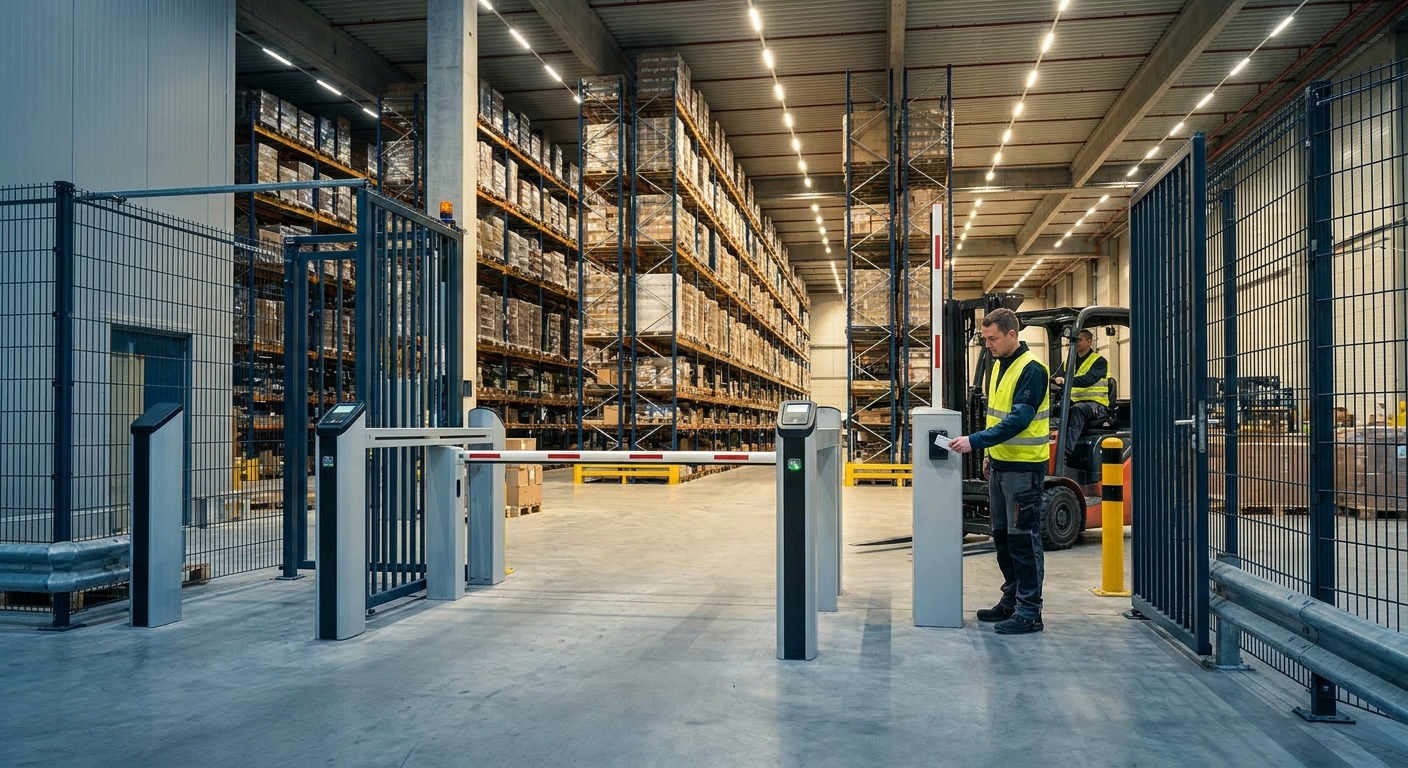
Warehouses and distribution centers push more freight, more drivers, and more shift workers through fewer doors than almost any other commercial building type, and in 2026 a single master key or shared code isn't enough to protect inventory, meet insurance requirements, or track who was on the floor during a shrinkage event.
- Proximity card readers at 125 kHz are the standard access control systems for warehouses in 2026 — buy them for dock doors and shipping offices.
- Standalone keypad locks work for single-door storage rooms only — skip them for main entrances with shift turnover.
- Pairing cloud-managed access with commercial security cameras gives shrinkage investigators a matched video and badge log for every door event.
- Battery-only smart locks without PoE backup fail during a power outage — avoid them on loading docks.
Why this matters
A warehouse running two or three shifts has dozens of people moving through the same handful of dock doors, break room entrances, and cage areas every day. When something goes missing, the first question from an insurance adjuster or an owner is "who was in that room and when" — and a shared padlock code can't answer that.
Electronic access control fixes that gap by logging every open, every denied attempt, and every after-hours entry with a timestamp. DBSI builds these systems alongside the security cameras and network cabling already running through most Fairfield, NJ-area facilities, so the access log and the camera footage point to the same door at the same second.
That matters more in 2026 than it did five years ago, because seasonal staffing swings, third-party drivers, and contract labor have made "who has a key" a moving target for most distribution operations.
Who this is for
This guide is for warehouse operators and distribution center managers running multiple shifts, multiple dock doors, or a mix of full-time staff and temporary labor — the kind of facility where a lost key or a shared code creates real exposure. If your site runs one shift with three employees and a single front door, a deadbolt and a camera probably cover you. If you're managing shrinkage across 20+ SKUs, rotating drivers, or a cold storage section that needs separate credentials, keep reading.
What to look for in access control for warehouses
Credential type matches your traffic pattern
A facility with 200 badge swipes a shift needs a fast, reliable reader — not a keypad where someone fumbles a four-digit code while holding a pallet jack. Match the credential to the door: cards or mobile credentials for high-traffic dock entries, keypads only for low-traffic storage rooms.
Integration with the cameras and network you already run
An access event with no matching video is half an investigation. Systems that tie into your existing commercial security camera setup let you pull the badge log and the footage for the same door in one search instead of two.
Hardware rated for dock doors and cold storage
Dock-area readers take temperature swings, dust, and forklift traffic that an office-grade reader isn't built for. Cold storage doors need credential readers rated for the same temperature range as the freezer, not a consumer unit meant for a front lobby.
Audit trail depth for shrinkage and compliance
A basic system tells you a door opened. A useful one tells you which credential opened it, whether it was denied first, and how long the door stayed propped. That level of detail is what insurance carriers and loss-prevention teams actually ask for after an incident.
Power redundancy so doors don't fail in a blackout
Most commercial access readers run on Power over Ethernet — 15.4 watts under the 802.3af standard, or up to 30 watts under 802.3at when the reader also drives an electric strike. Without battery or generator backup behind that PoE switch, every reader on the circuit goes dark in an outage.
Scalability across multiple doors and shifts
A five-door system today can turn into fifteen doors after a warehouse expansion. Pick a platform that adds doors and credentials without a forklift upgrade to the head end, and one that supports role-based access so a third-shift picker doesn't have the same door rights as a facility manager.
Top picks for warehouse and DC access control
Standalone keypad/PIN locks — the simple fix. These run a 4-to-8 digit code per door with no card issuance or network wiring required. They work fine on a single storage room or IT closet but become a liability on a main entrance where dozens of people need the same code changed every time someone leaves. Verdict: Consider for single low-traffic doors, Skip for dock entrances or anything with staff turnover.
125 kHz proximity card readers — the standard install. Proximity credentials read from roughly 2 to 6 inches away and have been the default commercial access format for two decades, which means parts, readers, and technicians are easy to find. They handle dock doors, shipping offices, and break rooms without drama. Verdict: Buy for most mid-size warehouses adding their first real access system.
13.56 MHz smart credentials with mobile support — the upgrade pick. Smart cards and Bluetooth/NFC mobile credentials encrypt the data on the card instead of broadcasting a static number, and they let a facility manager issue or revoke a badge from a phone instead of walking to a badge printer. Verdict: Buy for facilities expanding to a second site or replacing an aging card system in 2026.
Biometric readers — the high-security pick. Fingerprint or palm readers deny entry the instant a scan doesn't match a stored template, which removes the "lost badge" problem entirely for cage areas, cash offices, or hazmat storage. They cost more per door and slow down high-volume entries, so they're a poor fit for a main dock. Verdict: Consider for a single high-value room, Skip as the only credential type across the whole facility.
Cloud-managed access tied to video — the DBSI recommendation. A cloud platform that logs every badge event next to footage from your commercial security cameras turns a two-step investigation into a one-search lookup. It also lets a manager check door status from a phone during off hours instead of driving to the site. Verdict: Buy for any multi-shift distribution center that's had a shrinkage issue in the last year.
Get a warehouse access control quote
DBSI designs access control alongside your cameras and network cabling.
What to avoid
- Consumer WiFi smart locks built for a front door at home — they aren't rated for dock temperature swings or forklift vibration and most lack a real audit trail.
- Battery-only locks with no PoE or generator backup — they lock (or unlock, depending on fail state) the moment power drops, which is exactly when a warehouse needs its doors working.
- Systems that store logs only on a local server with no offsite backup — if that server sits in the same building as a break-in or a fire, the audit trail goes with it.
Verdict comparison
| System | Credential | Best Door | Power Note | Verdict |
|---|---|---|---|---|
| Keypad/PIN | 4-8 digit code | Single storage room | Battery, no PoE | Consider |
| 125 kHz proximity card | Card/fob | Dock doors, offices | PoE, 15.4W | Buy |
| 13.56 MHz smart/mobile | Card or phone | Multi-site, new build | PoE, 15.4-30W | Buy |
| Biometric | Fingerprint/palm | Cage, cash room | PoE + battery backup | Consider |
| Cloud + video tie-in | Badge + camera log | Multi-shift DC | PoE, redundant | Buy |
FAQ
What's the best access control system for a warehouse?
A 125 kHz proximity card system covers most dock doors and offices reliably in 2026, while cloud-managed access tied to video is the better fit for multi-shift distribution centers dealing with shrinkage.
Is a keypad or a card reader better for a warehouse?
Card readers beat keypads on any door with more than a handful of regular users, because shared PIN codes can't be traced to a single person the way a badge swipe can.
How much does access control cost for a warehouse?
Cost depends on door count, credential type, and whether the system integrates with existing security cameras and network cabling — get a site-specific quote rather than relying on a per-door average.
Do access control systems work during a power outage?
Only if the PoE switch or door controller has battery or generator backup; a system without it goes dark the moment power drops, which is why redundancy is a top selection criterion.
Can access control integrate with my existing security cameras?
Yes, most modern platforms can tie badge events to camera footage from the same door and timestamp, which turns two separate investigations into one search.
What's the difference between 125 kHz and 13.56 MHz credentials?
125 kHz proximity cards broadcast a static number and are the older, cheaper standard, while 13.56 MHz smart cards encrypt data and support mobile credentials on a phone.
Do biometric readers make sense for a warehouse?
They make sense for a single high-value room like a cage or cash office, but they're too slow for a main dock door handling dozens of entries per shift.
How many doors can one access control system handle?
Cloud-managed platforms scale from a handful of doors to dozens without a full head-end replacement, which matters for warehouses that expand or add a second building.
One last thing
Most warehouses still run the credential format from the 1990s — 26-bit Wiegand proximity — because it's cheap and everyone's technician knows it, but that same format is the easiest one for a cloned card to defeat. If shrinkage has been a recurring line item in 2026, that's the first spec worth upgrading before adding another camera.